
Free kit
REVISION — Client Feedback Kit
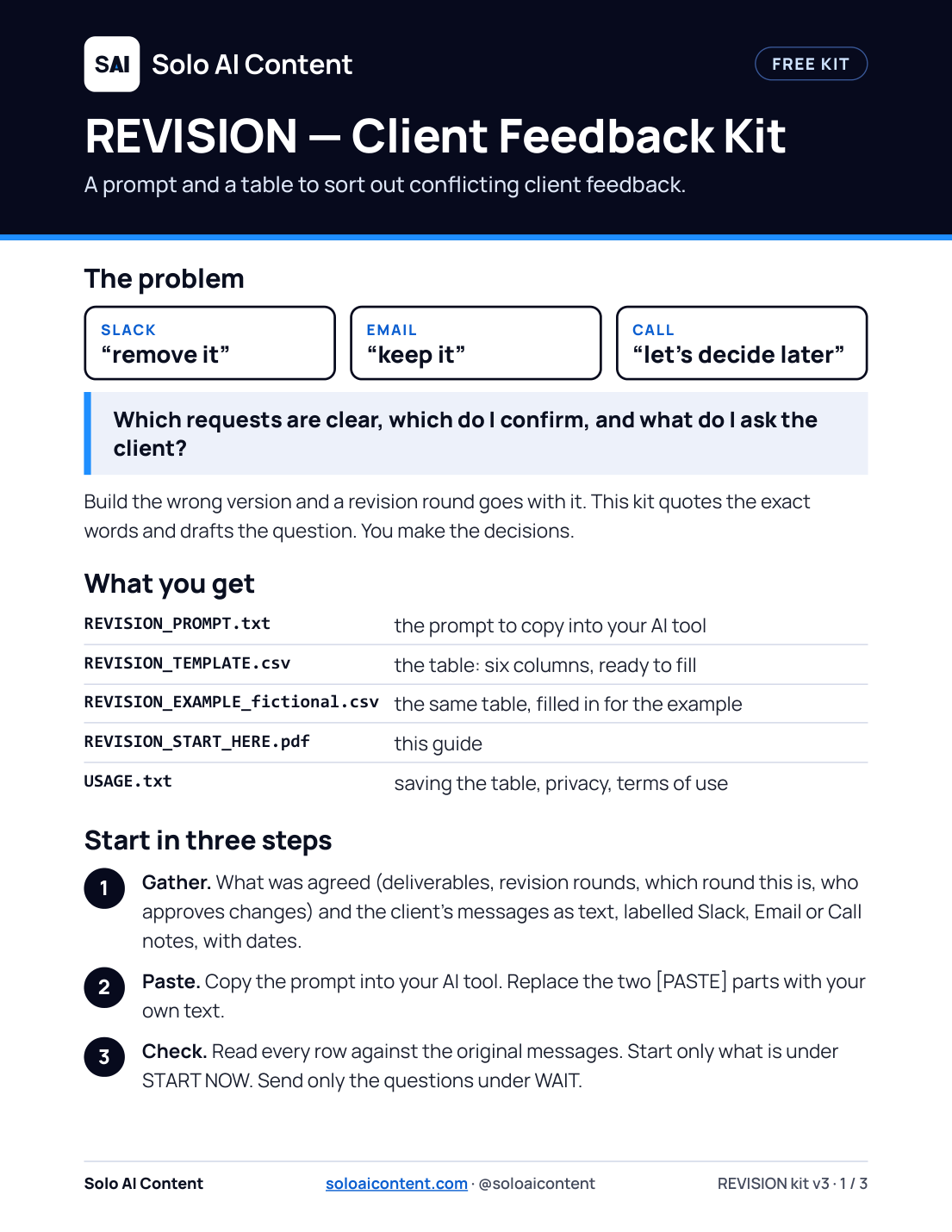
When a client says “remove it” on Slack, “keep it” by email and “let’s decide later” on a call, this kit shows what is clear, what to confirm and what to ask.
Free. No account and no email needed.
The problem
Which requests are clear, which do I confirm, and what do I ask the client?
Build the wrong version and a revision round goes with it. The kit quotes the exact words and drafts the question. You make the decisions.
What is in the kit
- One prompt to copy into your AI tool
- One table with six columns, as a CSV file, plus a filled-in example
- A three-page guide with the columns explained and a fictional example
The table, from the example file
Four rows of REVISION_EXAMPLE_fictional.csv (fictional messages). Scroll sideways to see all six columns.
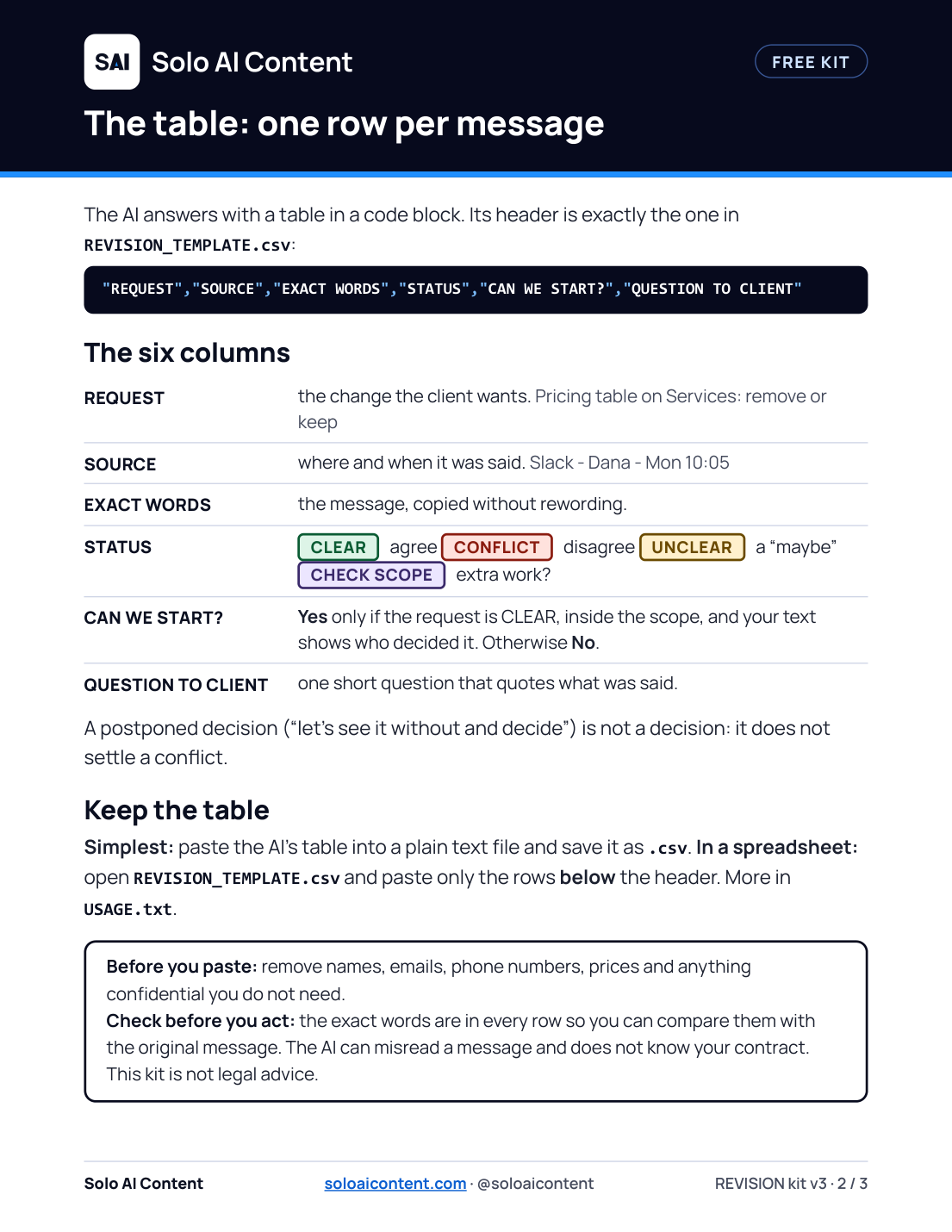
| REQUEST | SOURCE | EXACT WORDS | STATUS | CAN WE START? | QUESTION TO CLIENT |
|---|---|---|---|---|---|
| Pricing table on Services: remove or keep | Slack - Dana - Mon 10:05 | Can we remove the pricing table from the Services page? Sam thinks it makes us look cheap. | CONFLICT | No | Pricing table on Services: Monday's Slack says remove it, Wednesday's email says keep it, and on Thursday's call the notes say "let's see it without and decide." Should round 2 ship with it or without it, and who makes that call, you or Sam? |
| Pricing table on Services: remove or keep | Email - Dana - Wed 9:14 | please keep the pricing table on the Services page, it's the first thing customers ask about. | CONFLICT | No | Pricing table on Services: Monday's Slack says remove it, Wednesday's email says keep it, and on Thursday's call the notes say "let's see it without and decide." Should round 2 ship with it or without it, and who makes that call, you or Sam? |
| Pricing table on Services: remove or keep | Call notes - Thu | Pricing table: let's see it without and decide. | CONFLICT | No | Pricing table on Services: Monday's Slack says remove it, Wednesday's email says keep it, and on Thursday's call the notes say "let's see it without and decide." Should round 2 ship with it or without it, and who makes that call, you or Sam? |
| Header: lighter, same size | Call notes - Sam - Thu | Header: lighter, not smaller (Sam). | CLEAR | Yes |
How to use it
- Gather. What was agreed (deliverables, revision rounds, which round this is, who approves changes) and the client’s messages as text, labelled Slack, Email or Call notes, with dates.
- Paste. Copy the prompt below into your AI tool and replace the two [PASTE ...] parts with your own text.
- Check. Read every row and compare the quotes with the original messages. Start only what is under START NOW. Send the client only the questions under WAIT.
Before you paste: remove names, emails, phone numbers, prices and anything confidential you do not need. Only use an AI tool you are allowed to use with this information.
The prompt
The same text as REVISION_PROMPT.txt.
REVISION - Client Feedback Kit | PROMPT v2 | Solo AI Content (soloaicontent.com)

HOW TO USE
1. Copy everything between "START OF PROMPT" and "END OF PROMPT" into your AI chat.
2. Replace the two [PASTE ...] parts at the bottom with your own text.
3. Read every row of the answer. Check the exact words and the scope before you act.

BEFORE YOU PASTE
Remove or replace names, emails, phone numbers, prices, passwords and anything confidential that you do not need. Only use an AI tool that you are allowed to use with this information. More in USAGE.txt.

=== START OF PROMPT ===

You are helping me sort out messy client feedback. Use ONLY the text I paste. Never invent a decision, an approval, a date, a person or a quote.

Start your answer with one sentence saying this is a draft for me to check before I act.

For every distinct change request (ignore thanks, small talk, invoices and my own replies):
- List each message that mentions it: SOURCE (Slack / Email / Call notes, who, when - use the date or day I gave; if it is missing, write "not given") and their EXACT WORDS, copied without rewording.
- STATUS: CLEAR (the messages agree, or there is one clear instruction) / CONFLICT (messages disagree) / UNCLEAR (a question, "maybe", "if it's quick", "unless...", "whatever you think", "decide later", or a vague "sounds good") / CHECK SCOPE (looks like extra work beyond the ORIGINAL SCOPE below).
- CAN WE START? Answer Yes only if ALL of these are true: the status is CLEAR, the request is inside the original scope, and the text I gave you shows who decided it. If the scope or the person with authority cannot be determined from my text, answer No and say what is missing. If unsure, No.
- For anything that is not a clear Yes, write one short question for the client that quotes what was said.

Rules: The newest message does NOT automatically win. A postponed decision ("decide later", "let's see it without and decide") is NOT a decision: it does not settle a conflict. "X is fine with it", said by someone else, is unconfirmed. If you can't tell who has the authority to decide, say so. Don't decide anything for me; if you're unsure, say so.

Give me:
A) A CSV table in a code block, with exactly these six columns, in this order, comma-separated: "REQUEST","SOURCE","EXACT WORDS","STATUS","CAN WE START?","QUESTION TO CLIENT". Print the header line once. Put every field in double quotes. If a field contains a double quote, double it (""). Never put a line break inside a field. One row per message; repeat the request, status, can-we-start and question on every row of the same request.
B) START NOW: the requests I can start today.
C) WAIT: the requests that need a client answer first.
D) A short, friendly message to the client with only the questions.

ORIGINAL SCOPE:
[PASTE what was agreed: pages/deliverables, revision rounds included, which round this is, and who can approve changes on the client side]

CLIENT FEEDBACK (label each part Slack / Email / Call notes, with the date):
[PASTE the messages]

=== END OF PROMPT ===
Download the kit
Free. No account and no email needed.
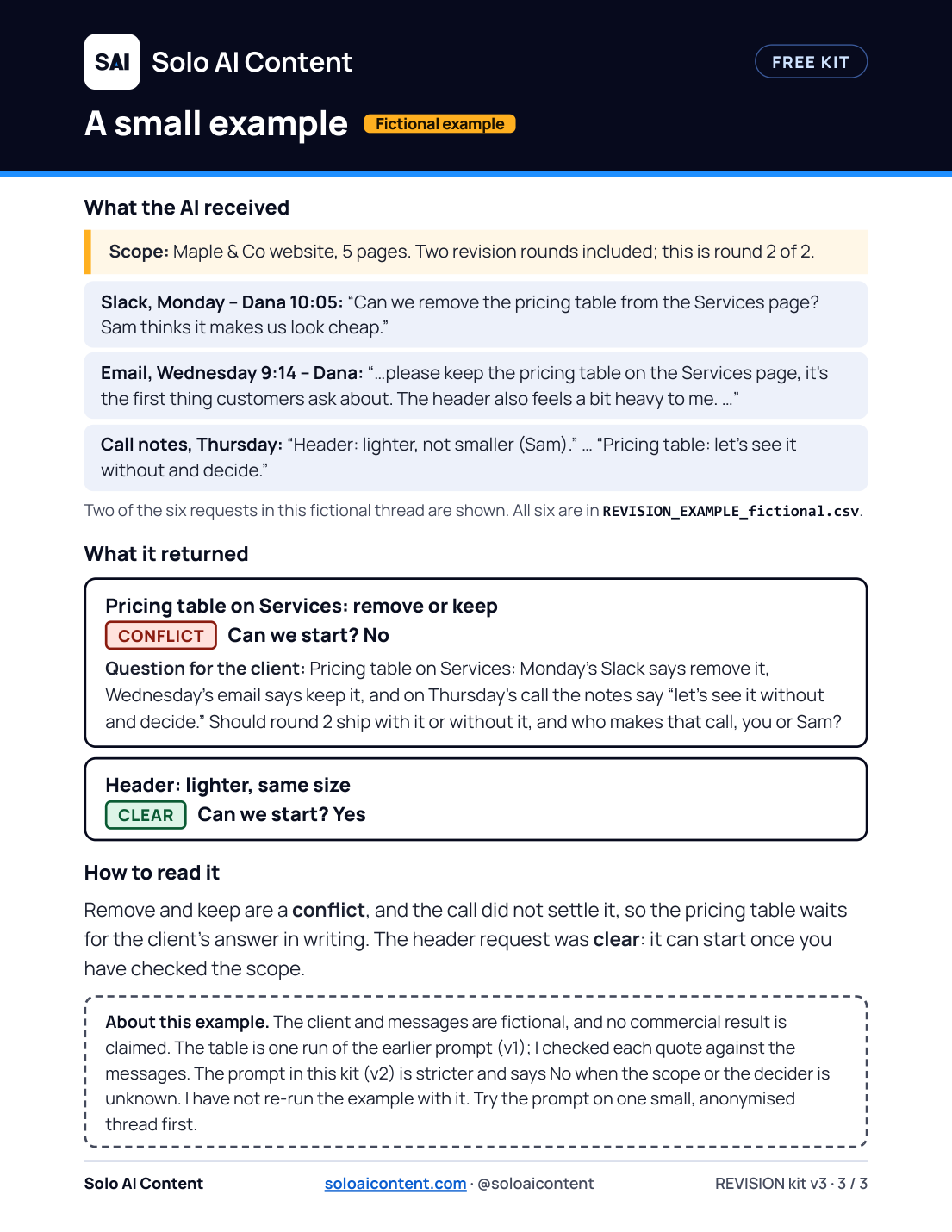
A small example Fictional example
What the earlier prompt returned
CONFLICT Can we start? No
Question for the client: Pricing table on Services: Monday's Slack says remove it, Wednesday's email says keep it, and on Thursday's call the notes say “let's see it without and decide.” Should round 2 ship with it or without it, and who makes that call, you or Sam?
CLEAR Can we start? Yes
Remove and keep are a conflict, and the call did not settle it, so the pricing table waits for the client’s answer in writing. The header request was clear: it can start once you have checked the scope. Two of the six requests are shown here; all six are in the filled-in example file.
Limits and good practice
- I tested the kit on one fictional project. I have not tested it on real client threads or on other AI tools. Try it on a small, anonymised example first.
- The AI does not know your contract and can misread a message. Check the exact words and the scope before you act.
- Saving the table, and what each status means, are in USAGE.txt inside the kit.
- Use and adapt it in your work and give your clients the results. Please do not resell or redistribute the blank kit. Details on the usage and terms page.